FREE · EXCEL + GOOGLE SHEETS · 2027
Free budget spreadsheet for 2027 (Excel and Google Sheets)
Type each transaction once: date, category, amount. The sheet totals all 12 months by category, shows how much of each monthly budget you have used, and works out your savings rate. No email, no sign-up, just a direct download.
Download the free spreadsheet (.xlsx, about 120 KB)Made for Excel and Google Sheets. Formulas checked in LibreOffice.
What is in the free version
- How to use: four short steps.
- Setup: the year (2027 by default), category names and monthly budgets. Rename a category once and every tab follows.
- Entries: date, type (income, expense, saving), category, note, amount, payment. Type, category and payment are dropdowns.
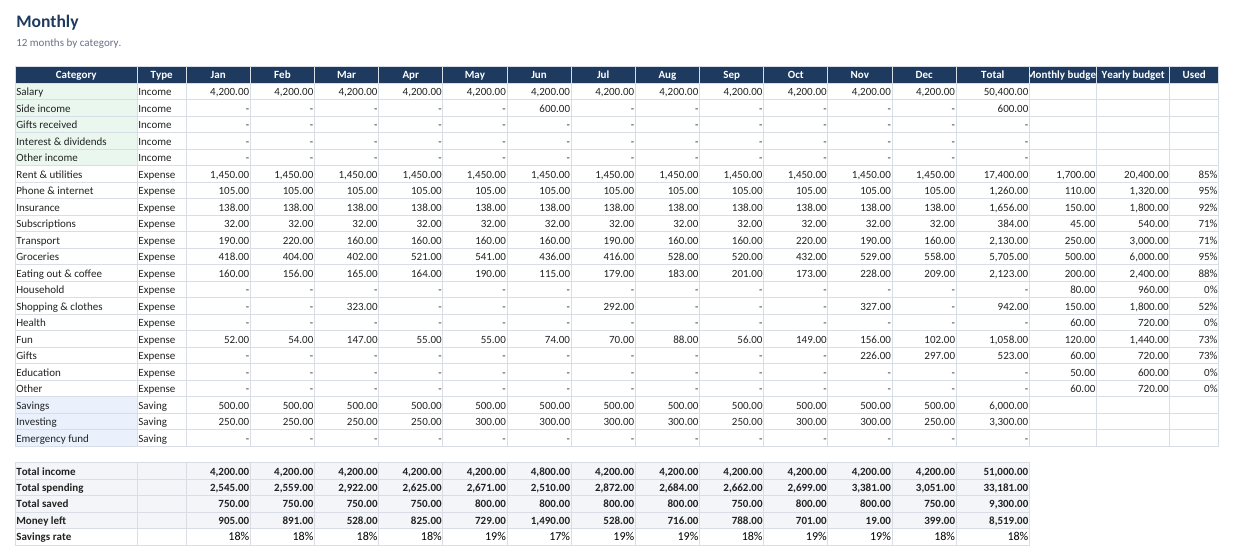
- Monthly: 12 months by category, total income, spending and savings, money left, savings rate, and budget used (turns red over 100%).
Use it in Google Sheets
- Download the file above.
- Upload it to Google Drive.
- Right-click the file, choose Open with, then Google Sheets.
Formulas and dropdowns carry over, and you can add entries from the Sheets phone app.
If you pay with BNPL or card installments
In the free version, a purchase goes into the month you made it. A $240 coat on a 4-payment plan shows up as $240 in January and nothing after, so January looks worse than it is and the next months look better than they are.
| Free | Full ($7) | |
|---|---|---|
| Entries, 12-month summary, budget used, savings rate | Yes | Yes |
| Split BNPL and installment purchases across the months you pay | No | Yes, type the number of payments |
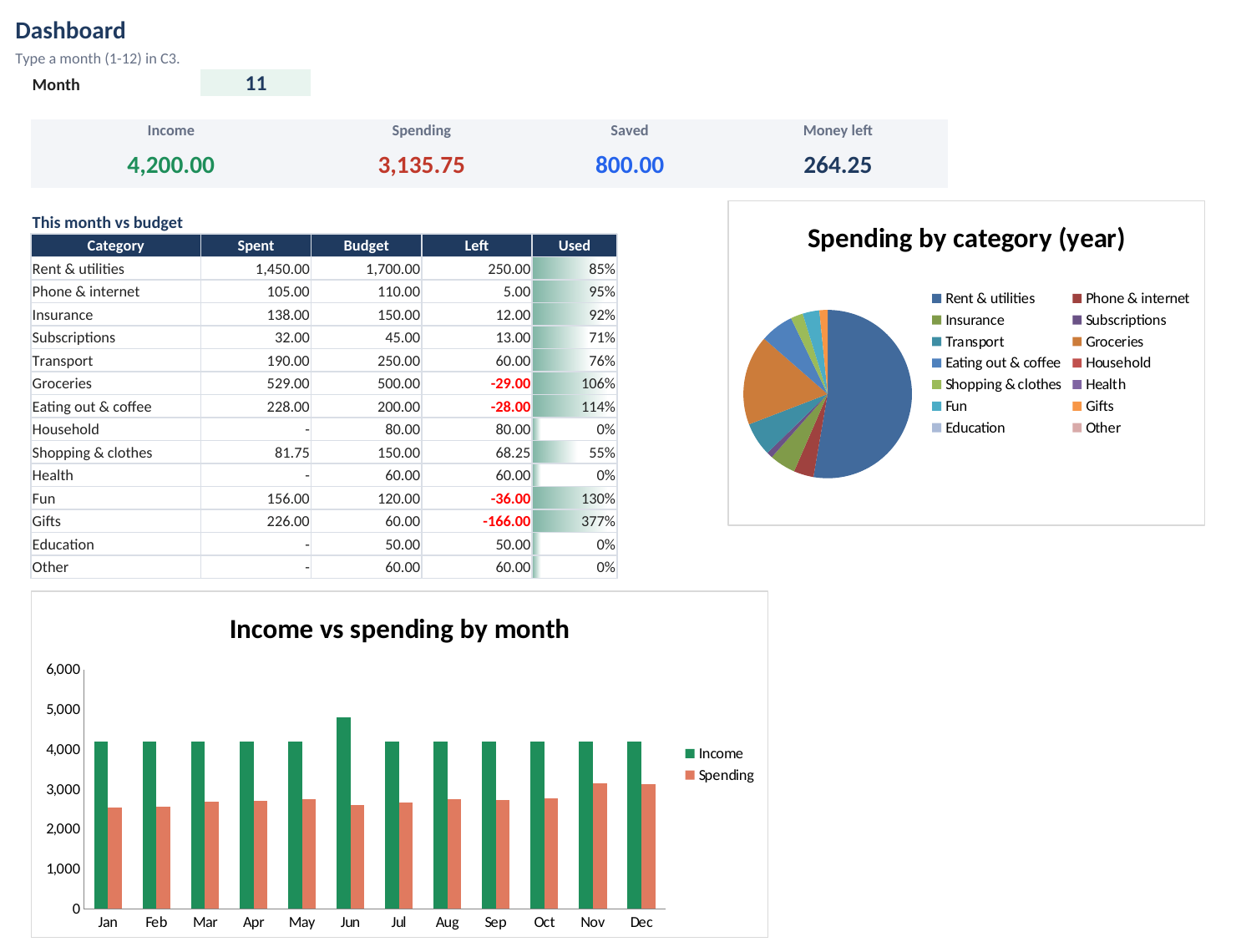
| Dashboard: pick a month to see income, spending, budget left and charts | No | Yes |
| Recurring bills checklist | No | Yes |
| Reusable next year | Yes | Yes |